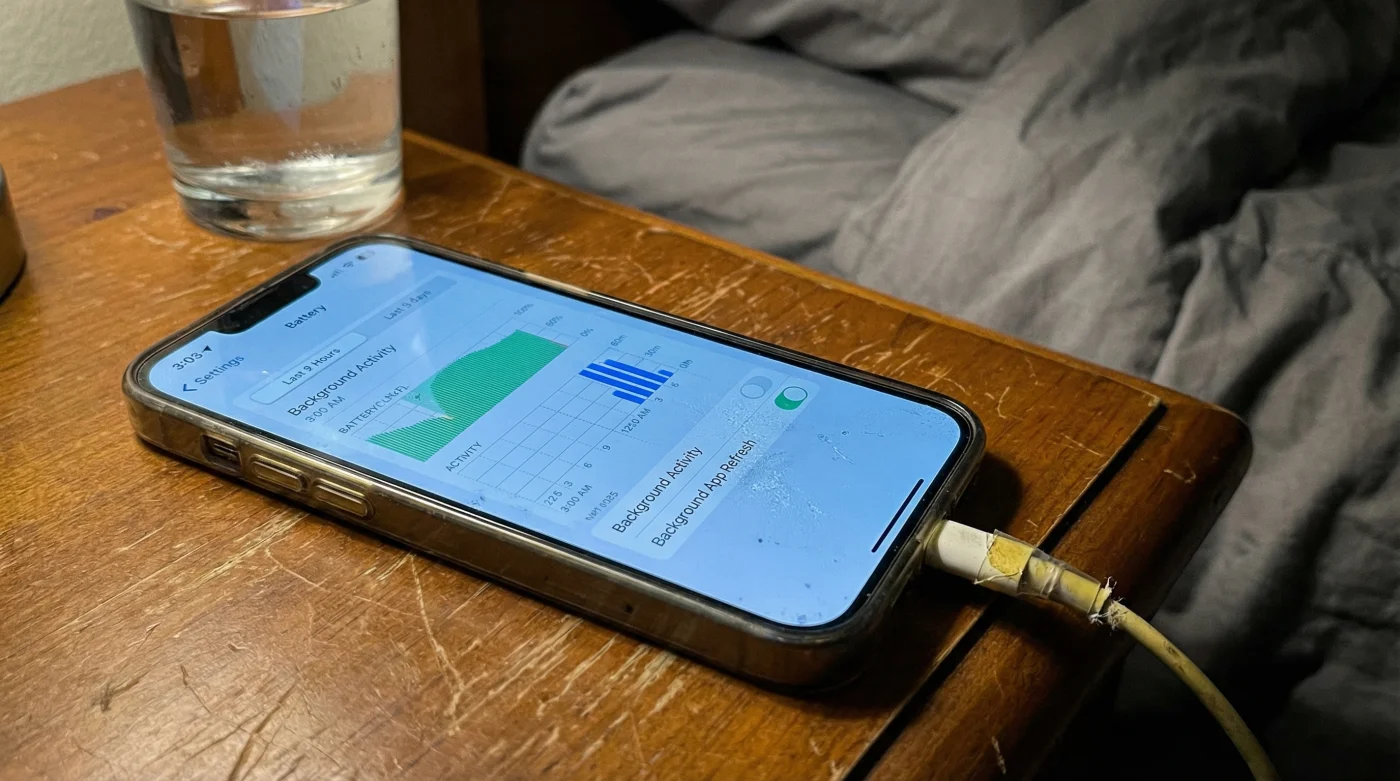
The room is dark. The quiet hum of a bedside fan fills the space, accompanied by the familiar, soft snap of a magnetic charging cable. A glowing green icon flashes on your screen, promising a full, fresh battery by the time your morning alarm rings. You drift off, assuming your phone is resting exactly like you are. But underneath that dark glass, your device is running a restless, invisible marathon. For years, the nightly charge has been an unquestioned consumer habit. We treat our phones like empty buckets, leaving them under the faucet overnight so they are brimming by dawn. However, a quiet shift in how modern software manages power has turned this comforting routine into a silent stress test for your hardware.
The Illusion of the Nightly Rest
We are looking at a fundamental contradiction in modern smartphone design. Your device features a built-in safety measure called Optimized Battery Charging, designed to pause the intake of electricity at eighty percent. It holds the battery there, intelligently waiting until just before you wake up to deliver the final twenty percent. The logic is sound: sitting at maximum capacity for hours degrades the physical chemistry of the lithium-ion cells. But there is a massive leak in the system. While the battery software is trying to hibernate, the rest of your phone realizes it is connected to a limitless wall supply. This triggers a separate feature, Background App Refresh, to go into absolute overdrive.
Think of it like putting your car in park, but keeping your foot pressed firmly on the gas pedal. The engine is still roaring, generating immense heat and burning fuel, even though you are not moving. When your phone holds at eighty percent, dozens of installed apps see the wall connection as a green light to gorge on data. They pull heavy caches of social media videos, refresh infinite feeds, and index countless emails. This constant processing draws substantial power. As the battery naturally drops to seventy-nine percent from the processor load, the charger kicks back in to push it to eighty. Drop, charge. Drop, charge. This micro-cycling generates sustained thermal stress, effectively exhausting the battery over the course of eight hours.
| User Profile | Nightly Charging Habit | Benefit of Adjusting Settings |
|---|---|---|
| The Heavy Scroller | Leaves rich-media apps active in the background | Stops massive video caches from writing to storage all night |
| The Commuter | Relies heavily on 100% capacity for long morning transit | Preserves long-term battery health for extended travel days |
| The Casual User | Charges every single night regardless of current battery level | Prevents unnecessary thermal degradation on the lithium-ion cells |
I recently spent an afternoon with a former senior hardware technician, a specialist who spent half a decade dissecting swollen batteries and testing fried logic boards. He described this overnight phenomenon as a phone breathing through a pillow. The device is desperately trying to regulate its internal temperature while the processor works a brutal double shift. He pointed out that users often walk into repair shops highly frustrated, showing him a battery health gauge that has plummeted to eighty-eight percent after just a few months of ownership. They swear they only use certified chargers. They swear they never let the phone drop to zero. They are doing everything right, but this hidden software friction is quietly aging the hardware from the inside out.
Rewiring the Night Shift
Fixing this does not require abandoning your overnight charging routine. Instead, it requires a mindful adjustment to how your phone handles idle time. First, navigate into your device settings, find the General tab, and select Background App Refresh. You will likely see a staggering list of apps that have permission to constantly pull data.
You do not need to turn the feature off entirely, but you must be ruthless about which apps deserve this privilege. Toggle off social media platforms, heavy news aggregators, and streaming video services. These apps are the primary culprits of overnight data hoarding. Leaving them on ensures your processor never truly sleeps, generating the heat that degrades your battery capacity.
Next, ensure that Optimized Battery Charging remains active in your Battery settings. By stripping away the heavy background data drain, this optimization feature can actually perform its intended job. The phone will hit eighty percent and rest in a cool, dormant state, completely undisturbed by background chatter until the morning.
| Background Process | Power Draw State | Long-Term Battery Impact |
|---|---|---|
| Optimized Charging Hold (80%) | Low, stabilized micro-cycling | Significantly reduces chemical aging if left undisturbed |
| Background App Refresh (Active) | High CPU and active Wi-Fi radio usage | Creates ambient heat, actively fighting the optimized battery hold |
| Mail Fetch (Push Notifications) | Intermittent, brief radio wake-ups | Minor drain, generally safe unless compounding with heavy apps |
- iPhone battery settings secretly drain power during standard overnight charging.
- Netflix account sharing bans now target household WiFi network inconsistencies.
- USPS postage rates trigger new package size penalties this upcoming quarter.
- Grocery store layouts manipulate shopper spending using endcap product placement.
- Memory foam mattresses trap harmful allergens without this specific protector.
| What to Look For (Healthy Habits) | What to Avoid (Battery Killers) |
|---|---|
| Using stable Wi-Fi for overnight system updates | Leaving cellular data active while sleeping in a low-signal room |
| Disabling background refresh for media-heavy apps | Allowing video apps to pre-load massive content files while docked |
| Cool, open air circulating around the charging phone | Placing the device underneath a heavy blanket or sleeping pillow |
Reclaiming Your Morning Rhythm
This subtle adjustment is about more than just saving a few percentage points of battery health. It is about reclaiming the longevity of a device that acts as the central hub of your daily life. When your phone works efficiently, rather than fighting its own conflicting software commands, it lasts longer, performs faster, and stays out of the repair shop.
You deserve the peace of mind that comes with knowing your technology is actually resting when you are. By resolving this hidden conflict between overnight charging and background data refresh, you allow your battery to properly recover. You will wake up to a device that is genuinely refreshed, cool to the touch, and ready to carry you through your day without gasping for a charger by mid-afternoon.
The greatest threat to modern hardware is not how we use it during the day, but how we unknowingly force it to labor through the night.
Frequently Asked Questions
Should I turn off Optimized Battery Charging entirely?
No, keep it toggled on. The trick is to turn off Background App Refresh so the battery optimization can actually do its job without fighting heavy background processing.Does turning off background refresh affect my morning alarm?
Not at all. Core system functions like the alarm clock, timers, and cellular reception remain entirely active and unaffected by app refresh settings.Why is my phone physically warm when I wake up?
That warmth is the direct byproduct of your phone processing data all night. Restricting background data stops this unnecessary processor heat and protects the lithium-ion cells.Is wireless charging worse for this specific issue?
Wireless charging naturally generates more ambient heat than a cable. If your apps are refreshing simultaneously, the combined heat degrades the physical battery noticeably faster.Will I miss important text messages or notifications?
No. Background App Refresh controls the pre-loading of heavy content, not instant push notifications. You will still receive your messages, emails, and alerts instantly.